

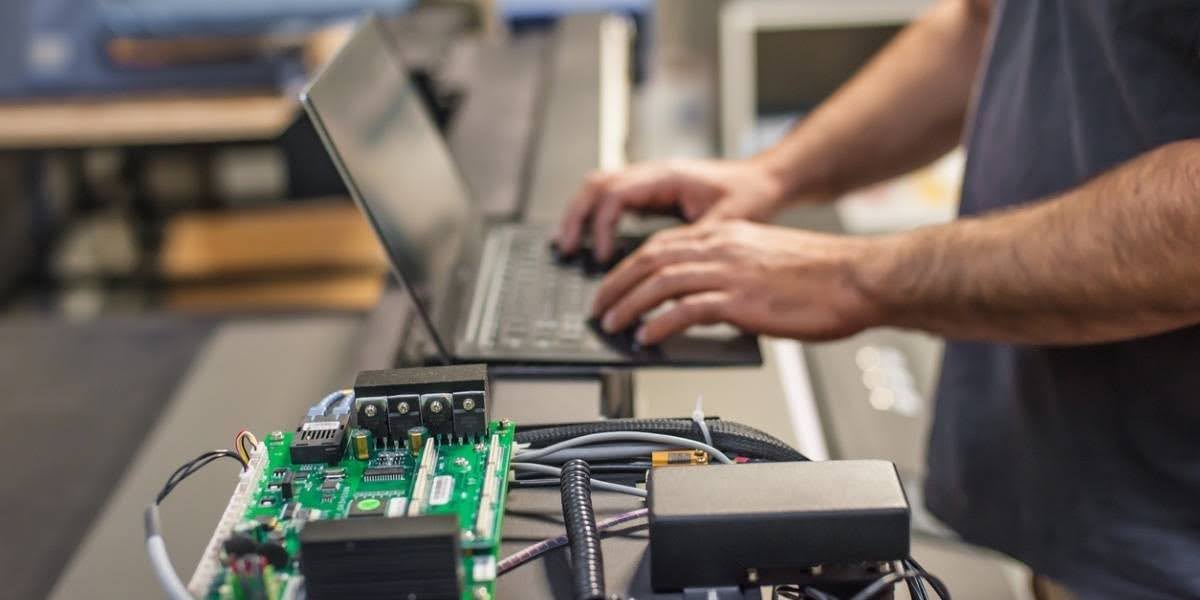
When you manage multiple locations, hardware maintenance is not just about fixing what breaks. It is about keeping systems running consistently, reducing downtime, and avoiding repeated issues that slow down operations. The real question is not simply repair versus replace. It is how each decision affects your team, your sites, and your long-term workload.
For IT leaders and operations teams, this decision shows up often. A device fails, a ticket is created, and someone has to decide whether to repair the issue or replace the hardware entirely. At a single site, that choice may seem simple. Across dozens or hundreds of locations, those decisions add up quickly.
This guide explains how to evaluate repair versus replacement using real-world factors like failure patterns, lifecycle timing, and operational impact. The goal is to help you build a more reliable hardware maintenance strategy over time.
What Hardware Maintenance Really Means
Most people hear the phrase hardware maintenance and think about one thing: fixing a device after it breaks. That is part of it, but it is only one piece of the larger picture. In a business environment, especially one with multiple locations, hardware maintenance is the ongoing work required to keep technology running reliably, safely, and consistently over time.
That includes repairing failed devices, replacing worn parts, checking system health, confirming compatibility, and preventing small issues from turning into larger outages. It also includes planning, coordination, and documentation. In other words, hardware maintenance is not just a technical task. It is an operational function that supports uptime, site performance, and day-to-day business continuity.
For organizations managing retail stores, clinics, offices, warehouses, restaurants, or other distributed environments, hardware maintenance affects much more than the equipment itself. It affects ticket volume, service schedules, technician dispatches, rollout timing, and the ability to keep every site working to the same standard.
Hardware Maintenance Is More Than Break-Fix Support
Break-fix support happens after something stops working. Hardware maintenance starts much earlier.
A switch may still be online but running hot. A POS terminal may still process transactions but show signs of drive failure. A cable run may still carry traffic but have physical wear that could create intermittent issues later. These situations may not look urgent at first, but they are all part of hardware maintenance because they affect long-term reliability.
A strong maintenance program looks at both active failures and early warning signs. Instead of waiting for a device to fail during business hours, IT teams monitor, inspect, test, and replace parts before those issues create downtime.
That is what separates reactive support from planned hardware maintenance.
What Is Included in Hardware Maintenance?
At a practical level, hardware maintenance usually includes several core activities. Each one supports stability in a different way.
Fixing Failed Devices
This is the part most people recognize first. When a router, switch, firewall appliance, printer, workstation, or POS terminal stops working, someone has to diagnose the issue and restore service.
This may involve:
- Replacing a failed power supply
- Swapping out a bad hard drive
- Rebooting and testing unresponsive equipment
- Identifying whether the issue is hardware, cabling, or configuration related
- Verifying that the repaired system works properly before closing the ticket
Repair work is important, but it is only one layer of hardware maintenance.
Replacing Worn or Aging Components
Many failures do not happen all at once. Hardware often declines over time.
Cooling fans collect dust and lose efficiency. Drives begin to show errors. Batteries weaken. Network ports wear out from constant use. Cabling can bend, loosen, or degrade. When these parts are replaced early, teams can avoid a larger outage later.
This is one of the most practical parts of hardware maintenance because it reduces the chance of emergency service calls. It also gives teams more control over timing, which is especially important in sites that operate during fixed business hours.
Running Preventive Inspections
Preventive maintenance helps teams catch problems before end users notice them. This may include checking equipment condition, reviewing signs of wear, inspecting rack organization, testing environmental conditions, and confirming that power and connectivity are stable.
In a multi-site setting, preventive inspections create consistency. They make it easier to compare sites, identify patterns, and decide where attention is needed next.
For example, if several locations show the same type of wear on similar equipment, that may point to a broader lifecycle issue instead of a one-time failure.
Checking Structured Cabling and Physical Infrastructure
Hardware does not operate in isolation. Physical infrastructure matters too.
A device may appear to be failing when the real issue is damaged Cat6 cabling, poor termination, a loose patch connection, or an aging fiber run. That is why structured cabling checks are part of hardware maintenance.
These checks often include:
- Testing cable continuity and performance
- Inspecting patch panels and wall jacks
- Confirming labeling and physical organization
- Looking for cable damage, strain, or poor installation practices
- Verifying clean routing within racks or network closets
Cabling issues can create slow speeds, dropped connections, or unstable service that feels random until someone checks the physical layer.
Updating Firmware and Confirming Compatibility
Hardware maintenance also includes keeping equipment current enough to remain stable and compatible with the rest of the environment.
That means checking firmware versions, reviewing known hardware issues, and confirming that devices can still support the software, security requirements, and network standards used across the organization.
This matters because even hardware that still powers on and appears functional may create operational problems if it cannot support current systems or updated configurations. A device that is technically still working may still be a weak point.
Why Coordination Is a Major Part of Hardware Maintenance
In a single office, maintenance is often handled locally and quickly. In a multi-site environment, the work becomes more complex.
Now the issue is not just whether the hardware can be repaired. The issue is also:
- When can the work be scheduled?
- Does the site need after-hours support?
- Is there local staff available to assist?
- Does the technician need special access instructions?
- Are there site-specific restrictions?
- Can the service be completed without interrupting customers or staff?
This is why hardware maintenance is also a coordination process.
A strong maintenance plan includes service windows, location details, escalation paths, technician instructions, documentation standards, and communication between field teams, helpdesk staff, and internal stakeholders.
Without that coordination, even simple repairs become harder to manage at scale.
Why Hardware Maintenance Matters So Much for Multi-Site Businesses
The larger the footprint, the more important maintenance becomes.
A single issue at one site may be easy to absorb. The same issue repeated across dozens of locations is a different problem. It creates more tickets, more troubleshooting, more dispatch planning, and more pressure on internal teams.
That is why hardware maintenance matters so much in distributed operations. It helps businesses move from constant reaction to controlled execution.
For example, a business with 200 sites may see:
- Repeated switch failures in older network closets
- POS slowdowns tied to aging hardware
- Wi-Fi problems caused by poor cabling at specific locations
- Support delays because different sites use different equipment models
Without a maintenance strategy, each problem looks separate. With a maintenance strategy, those issues can be grouped, tracked, and handled in a more efficient way.
Why Hardware Maintenance Impacts Cost
The cost of hardware maintenance is not only about parts and labor. The bigger cost often comes from repeated disruption.
One repair may not seem like a major issue. But when that same type of repair happens again and again, the workload grows quickly.
Here is how that usually happens:
- One failed device creates one ticket
- Several sites with the same issue create a pattern
- Repeated failures increase technician dispatches
- Helpdesk teams spend more time triaging recurring problems
- Site managers deal with more interruptions
- IT leaders lose time that could be spent on planning or improvement work
This is why maintenance impacts cost beyond the obvious repair expense. Every repeated issue creates operational drag.
Direct Costs vs Operational Costs
Direct costs are easy to identify:
- Replacement parts
- On-site labor
- Shipping
- Equipment swaps
Operational costs are less visible, but often more important:
- Downtime during open hours
- Slower checkout or transaction processing
- Increased call volume to support teams
- Emergency scheduling after a preventable failure
- Delays in rollout work because resources are tied up elsewhere
When hardware maintenance is handled well, teams reduce both kinds of costs. When it is handled poorly, both increase over time.
What Happens Without a Clear Hardware Maintenance Plan?
Without a defined plan, most teams fall into a reactive cycle.
A device fails, so a ticket is opened. A technician is dispatched. The issue is fixed. Then a similar issue appears at another location, and the process repeats. Over time, this becomes normal, even though it creates extra work and inconsistent performance.
That reactive cycle often leads to:
- Higher ticket volume
- More repeated dispatches
- Less predictable site performance
- Harder budgeting and scheduling
- Short-term decisions instead of lifecycle planning
- More pressure on support staff
The biggest problem is that recurring issues start to feel routine. Teams get used to them instead of stepping back to ask whether the hardware, process, or support model needs to change.
A clear hardware maintenance plan helps break that cycle. It gives teams a way to track trends, define service standards, and decide when to repair, monitor, or replace equipment.
The Real Cost of Repair vs Replacement
It is easy to compare repair and replacement by looking only at the immediate cost. A repair usually looks less expensive because the business pays for a part, a technician visit, and the labor needed to get the device working again. A replacement usually looks like the larger expense because it involves new equipment, deployment time, and sometimes extra planning. On paper, repair can seem like the better choice.
But that kind of comparison leaves out the costs that build over time.
In real business environments, especially across multiple locations, the true cost of repair versus replacement is not just about what you pay today. It is about how often the problem comes back, how much downtime the issue creates, how much staff time it absorbs, and how much disruption it causes across the rest of the operation. That is why many short-term repair decisions end up costing more in the long run.
To make a smart decision, IT teams need to look at the full impact of each option, not just the first invoice.
Why the Cheapest Immediate Option Is Not Always the Lowest Cost
A repair can be the right move, especially when the hardware is still relatively new, the issue is isolated, and the device has a strong service life ahead of it. But that is not always the situation.
Sometimes a repair only restores a device temporarily. The equipment may come back online, but it may still be unstable, outdated, or close to another failure. When that happens, the business ends up paying more than once for the same general problem.
That is where the cost difference starts to shift.
A single repair may seem manageable. But when a business keeps repairing the same type of hardware, or the same unit, the cost is no longer limited to one ticket. It becomes a cycle of labor, downtime, follow-up calls, and recurring support effort.
This is especially important in multi-site environments where one recurring issue can affect many locations at once.
Direct Costs of Repair vs Replacement
Direct costs are the easiest costs to measure. These are the line items most teams look at first because they are visible and easy to compare.
Direct Costs of Repair
Repair costs often include:
- Replacement parts
- Technician labor
- Travel time or dispatch fees
- Shipping or delivery of parts
- Time spent diagnosing the issue
For example, if a switch fails at one store, the direct repair cost may include the technician visit, the replacement power supply, and the labor needed to install and test the fix.
Direct Costs of Replacement
Replacement costs often include:
- The new device
- Configuration and staging
- Technician labor for installation
- Shipping and logistics
- Removal of the old hardware
- Possible setup validation after installation
At first glance, replacement usually appears more expensive because the equipment cost is higher. That is why many teams prefer repair first. The problem is that direct cost alone does not tell you whether the decision is actually more efficient over time.
Why Direct Cost Is Only the Starting Point
A direct cost comparison gives you a snapshot, not the full story.
A repaired device may return to service quickly, but if it fails again in two months, the original repair was not the complete cost. The actual cost now includes the second ticket, the second dispatch, more labor, and more operational disruption.
This is why direct cost should be treated as the starting point of the decision, not the final answer.
Indirect Costs Often Matter More
Indirect costs are less obvious, but they often have a bigger effect on the business. These are the costs that do not always show up clearly on a service invoice, but they still affect performance, staffing, and planning.
Downtime During Business Hours
If hardware fails while a site is operating, the business may experience:
- Slower transaction processing
- Longer lines at checkout
- Reduced productivity for site staff
- Service interruptions for customers
- Delays in internal workflows
Even if the device is repaired the same day, the downtime still had an operational cost. This is especially important for systems tied to revenue, such as POS equipment, network connectivity, or communications hardware.
Slower Performance Before Full Failure
Sometimes the hardware is not fully down, but it is no longer performing well. That can still create major problems.
A weak switch, failing access point, or unstable workstation may cause:
- Intermittent disconnects
- Slow login times
- Delayed POS processing
- Frustration for employees
- More support calls from the site
This kind of degraded performance often lasts longer than a full outage because it may not trigger immediate replacement. Teams may continue to repair around the problem, even though the site is operating below normal standards.
More Helpdesk Tickets
When aging hardware starts to decline, helpdesk volume usually increases.
That happens because:
- Users report repeated issues
- The same problem gets reopened more than once
- Intermittent failures are harder to close with confidence
- Temporary fixes lead to repeated calls
A single unstable device can generate far more support work than its repair bill suggests. This is one of the biggest hidden costs in hardware maintenance.
Increased Coordination Across Locations
In a multi-site business, every repair takes coordination.
Someone may need to:
- Open and triage the ticket
- Confirm the issue remotely
- Schedule the service window
- Arrange site access
- Route the job to the right technician
- Communicate with location staff
- Track the outcome after completion
That effort takes time from internal teams, not just the field technician. If the same type of repair happens across several sites, the coordination cost grows quickly.
Delays to Other IT Work
One of the most overlooked costs of repeated repair work is what it prevents the team from doing.
When internal IT staff spend more time on recurring incidents, they have less time for:
- Planned rollouts
- Network upgrades
- Security updates
- Hardware refresh planning
- Documentation improvement
- Process cleanup
This matters because recurring repair work does not just add cost. It also slows progress in other parts of the IT operation.
Repair vs Replacement in Multi-Site Environments
The repair versus replacement decision becomes more complex when a business has many locations.
In a single office, one repair may be a simple event. In a multi-site operation, the same issue may appear in many places, often tied to the same device model, age, or installation standard.
That changes the conversation.
Now the question is not only, "Can this one device be repaired?" The better question is, "Are we seeing a pattern that should change how we support this hardware across all locations?"
Why Scale Changes the Cost Equation
A repeated issue across multiple sites can create:
- More dispatches
- More shipping activity
- More site coordination
- More inconsistency in user experience
- More pressure on support teams
For example, if the same model of router is failing in ten stores, repairing each one individually may seem reasonable at first. But if those failures continue, the business may end up spending more time and money than it would have by planning a controlled replacement program.
That is why scale matters so much in hardware maintenance decisions.
Frequency Matters More Than Price
One of the most important ideas in repair versus replacement decisions is this: frequency matters more than price.
The first repair is not usually the problem. The second, third, and fourth repair often are.
Why Repeated Repairs Change the Math
Every repeated repair creates more than another bill. It creates more work.
That usually includes:
- Another ticket
- Another review by the helpdesk
- Another technician visit
- Another service window
- Another communication thread with the site
- Another chance for downtime or delay
Over time, these repeated efforts can exceed the cost of a replacement, even when each individual repair seemed small.
When Repair Makes Sense
Repair is still the right choice in many situations. The key is knowing when it helps your operation instead of slowing it down.
Situations Where Repair Works Well
Repair is a good option when:
- The device is still within its expected lifecycle
- The issue is isolated and not recurring
- Replacement parts are easy to access
- Work can be completed during low-impact hours
Example: Single POS Issue
A POS terminal with a failed component can often be repaired quickly:
- A technician replaces the part during off-hours
- The system stays configured as is
- The store continues operating without major disruption
In this case, repair supports efficient hardware maintenance.
When Repair Becomes a Problem
Repair starts to lose value when:
- The same device fails more than once
- Performance becomes inconsistent
- Support tickets increase for the same issue
At that point, repair creates more work instead of solving the problem.
When Replacement Is the Better Option
Replacement often feels like a bigger step, but it can reduce long-term effort and improve consistency.
Signs It Is Time to Replace
Replacement should be considered when:
- Devices fail repeatedly
- Performance no longer meets operational needs
- Software updates are no longer supported
- Replacement parts are difficult to find
- Issues appear across multiple locations
Example: Network Equipment Across Sites
If the same model of switch fails in several locations:
- Troubleshooting becomes repetitive
- Temporary fixes do not last
- Network performance varies between sites
Replacing those switches during a planned rollout improves stability and reduces ongoing maintenance.
Replacement Helps Standardize Operations
Standardizing hardware across locations makes a difference:
- Technicians follow the same setup process
- Troubleshooting becomes faster
- Inventory planning becomes simpler
This improves hardware maintenance over time and reduces variation between sites.
The Hidden Cost of Waiting Too Long
Delaying replacement may seem like a way to extend value, but it often creates more problems.
What Happens When You Wait
In multi-site environments:
- Small issues start appearing more often
- Teams spend more time reacting to problems
- Coordination becomes more difficult
Impact on Larger IT Projects
Outdated hardware can slow down deployments:
- New systems may not integrate cleanly
- Additional staging may be required
- Rollouts take longer to complete
Waiting too long to replace equipment can delay other important initiatives.
Building a Strong IT Hardware Maintenance Strategy
A good approach does not rely only on repair or replacement. It uses both, based on clear criteria.
What IT Hardware Maintenance Should Include
A structured IT hardware maintenance plan should cover:
- Tracking device lifecycles
- Setting clear rules for repair vs replacement
- Standardizing hardware across locations
- Scheduling maintenance windows
- Defining escalation steps for repeated issues
Using Data Instead of Guesswork
Instead of reacting to individual problems, track trends:
- How often devices fail
- How many tickets are created per device type
- How long it takes to resolve issues
- How often technicians are dispatched
This data helps you decide when repair stops being efficient.
Aligning Maintenance With Operations
Hardware maintenance should support:
- Store uptime during peak hours
- Consistent performance across locations
- Predictable planning for budgets and resources
- Efficient technician scheduling
This is where IT hardware maintenance becomes part of operations, not just support.
Cost Comparison Over Time
Looking at one repair versus one replacement does not tell the full story. You need to look at the total impact over time.
Short-Term View
Repair often looks better because:
- It costs less upfront
- It can be approved quickly
Long-Term View
Replacement often becomes more practical because:
- It reduces repeat service calls
- It improves system reliability
- It lowers overall workload
Multi-Site Scenario
Imagine the same device across many locations:
- Repaired multiple times per year
- Requires repeated service visits
- Causes inconsistent performance
Replacing the device across all sites:
- Requires planning and coordination
- Reduces ongoing issues
- Creates consistent performance
Over time, replacement often leads to fewer disruptions.
Operational Factors That Matter
Cost is only part of the decision. Operations often matter more.
Technician Scheduling
Frequent repairs require:
- More dispatches
- More coordination
- More variability in results
Replacement allows work to be grouped into planned rollouts.
Inventory Management
Repair-heavy environments require:
- Keeping spare parts available
- Managing shipping delays
- Handling inconsistent part availability
Replacement simplifies inventory by standardizing hardware.
Service Expectations
Stable systems make it easier to meet internal expectations:
- Fewer urgent issues
- More predictable response times
- Better alignment with service goals
Common Hardware Maintenance Mistakes
Even experienced teams run into the same issues.
Treating Each Device Separately
When decisions are made one device at a time:
- Patterns are missed
- Problems repeat across locations
- Costs become harder to predict
Ignoring Repeat Failures
Repeated issues often signal:
- Hardware reaching end of life
- Model-wide problems
- Environmental factors
Waiting Too Long to Replace
Delays lead to:
- More downtime
- Higher support workload
- Slower project timelines
Lack of Standardization
Mixed environments create:
- More complex troubleshooting
- Longer resolution times
- Higher training requirements
A Simple Framework for Decision-Making
Use this approach to guide repair versus replacement decisions.
Step 1: Check Lifecycle Stage
- Early stage: repair is usually fine
- Mid stage: monitor trends closely
- Late stage: plan for replacement
Step 2: Review Failure Patterns
- One issue: repair
- Repeated issues: consider replacement
- Multi-site trend: plan a rollout
Step 3: Measure Operational Impact
- Does it affect POS or revenue systems?
- Does it disrupt customer experience?
- Does it require frequent technician visits?
Step 4: Look at Standardization
- Will replacement improve consistency?
- Will it simplify future maintenance?
Step 5: Align With Other Projects
- Upcoming upgrades
- Network changes
- Security updates
Combining replacement with planned work reduces disruption.
Frequently Asked Questions About Hardware Maintenance
What is hardware maintenance in a multi-site environment?
Hardware maintenance includes all activities needed to keep IT equipment working across locations. This includes repairs, inspections, updates, and planning for replacement. It also involves coordinating service across regions.
How do you decide between repair and replacement in hardware maintenance?
In hardware maintenance, the decision depends on lifecycle stage, how often issues occur, and how the problem affects operations. Isolated issues usually support repair, while repeated problems often point to replacement.
Why is IT hardware maintenance important?
IT hardware maintenance helps maintain uptime, consistent performance, and predictable operations. Without it, teams deal with more downtime and higher support workloads.
How does hardware maintenance affect long-term costs?
Strong hardware maintenance reduces repeat repairs, limits downtime, and improves system stability. Over time, this helps control operational costs.
When should hardware be replaced instead of repaired?
Replacement is the better choice in hardware maintenance when devices fail repeatedly, no longer meet performance needs, or create ongoing operational issues.
What are common challenges in IT hardware maintenance?
Common challenges include inconsistent hardware across sites, delayed replacement cycles, lack of tracking, and increased coordination for repeated repairs.
Making Better Hardware Maintenance Decisions
The goal of hardware maintenance is not to spend less on a single repair. It is to reduce repeated issues, improve consistency, and support operations across every location.
For multi-site organizations, the most effective approach includes lifecycle tracking, clear decision rules, and standardized equipment. These steps reduce downtime, simplify support, and make it easier to manage large environments.
If recurring hardware issues are starting to impact your operations, it may be time to revisit your approach. Contact Tech Service Today to learn how coordinated on-site support and structured maintenance planning can help stabilize your environment and reduce ongoing issues.